Context and challenges
The existing Personal Independence Payment (PIP) process starts with a phone call. My work with DWP focused on digitising the PIP case-review process so case officers could review cases faster and more accurately.
Design approach and key improvements
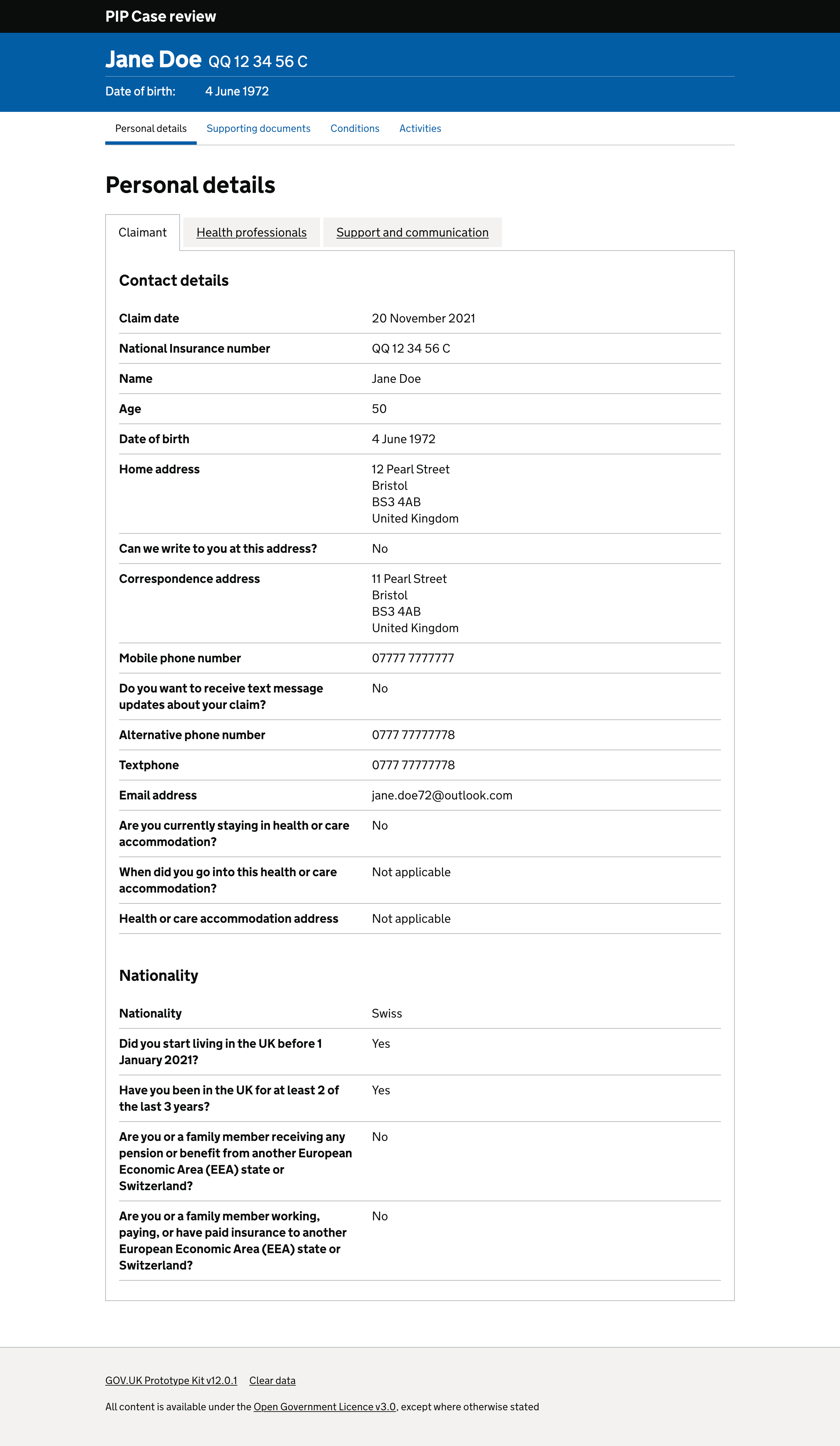
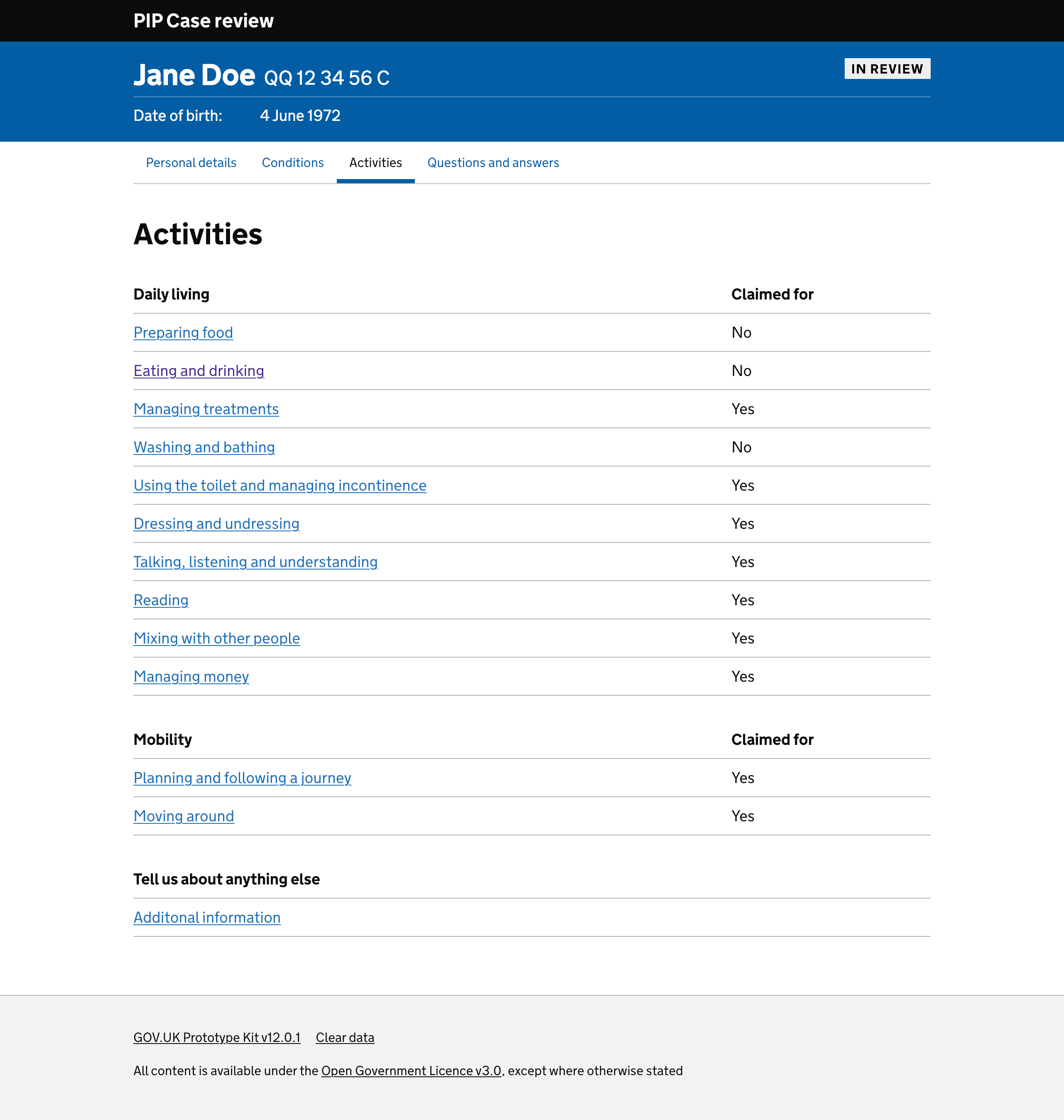
Collaboration: I was part of a multidisciplinary team digitising the PIP case review. We designed internal screens for case managers to review applications and supporting evidence before sending cases for a decision or referring them for further assessment. The content was grouped into four sections: Personal details, conditions, activities, and questions and answers.
Personal details: Split into tabs so caseworkers could find contact details for the applicant, health professional, and any additional support or communication preferences.
Conditions and activities: Core assessment criteria and the applicant’s responses needed to be displayed clearly.
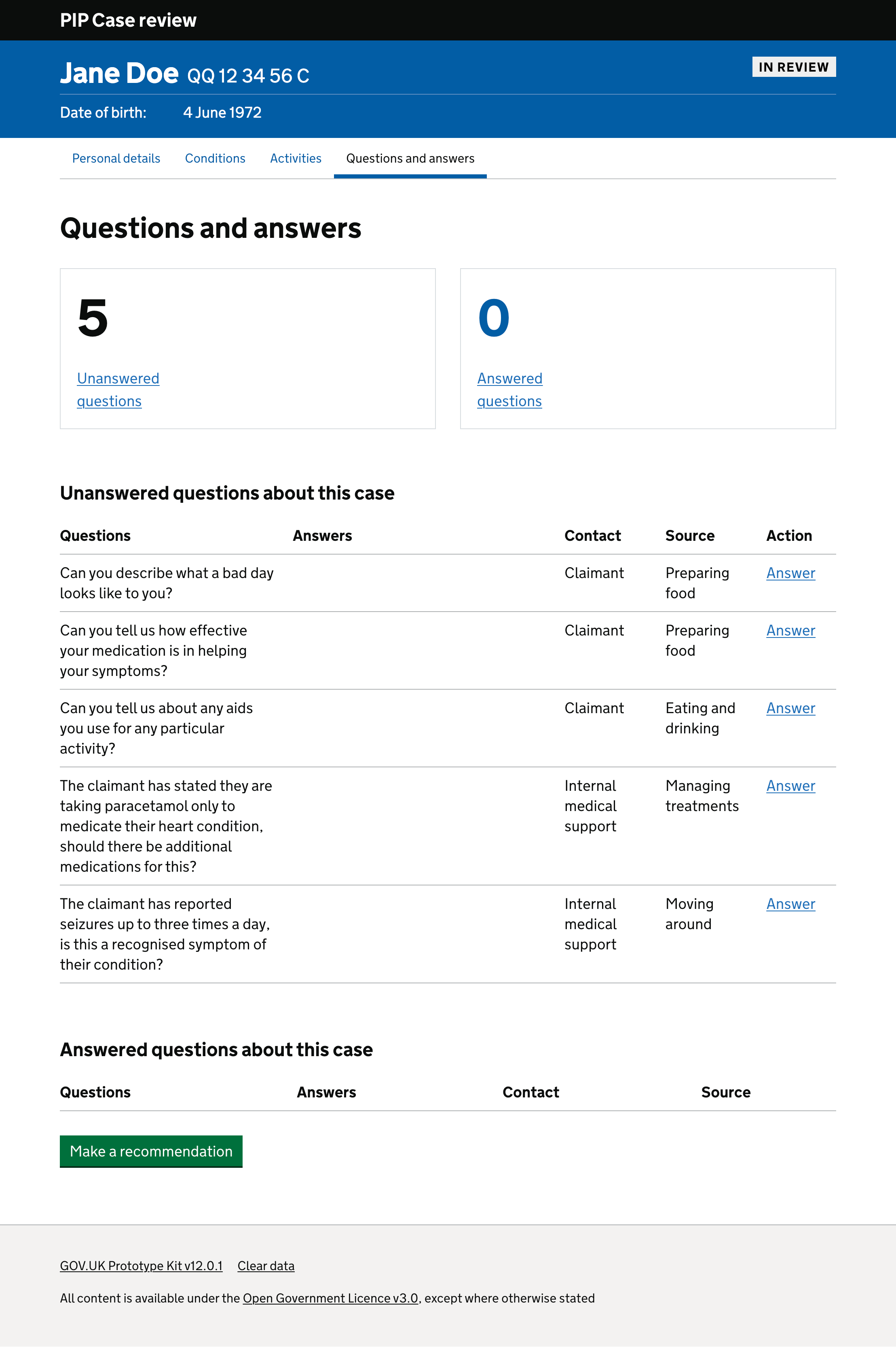
Questions and answers: Case officers needed an area to record questions for an applicant or medical professional based on the applicant’s responses. They currently recorded these on a separate piece of paper.
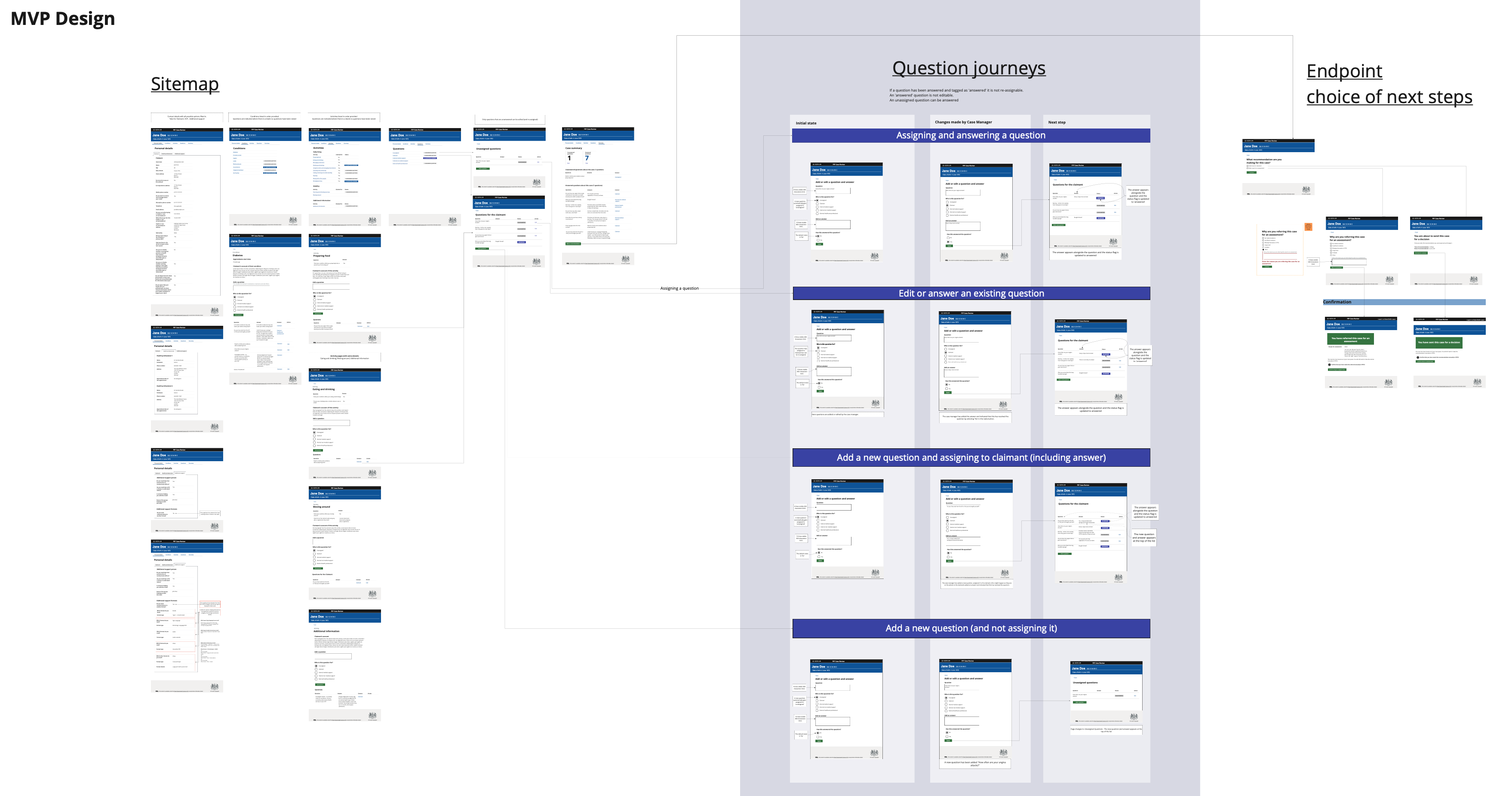
The full case-review process and its user journeys are shown in the sitemap below, created in Mural alongside the GOV.UK Prototype Kit prototype.
My role
As a Senior Interaction Designer, I worked across early concepts and improvements to the live service. My focus was simplifying complex data interactions and shaping user journeys for caseworkers and other service users.
The result
- Designed screens for applicants’ personal details, conditions and activities.
- Revised the content order and layout after a series of user research sessions.
- Created working prototypes using the GOV.UK Prototype Kit, hosted on Heroku.
- Built a prototype that enabled case managers to add questions about specific conditions, activities or evidence and track whether each question was answered.
- Worked with other DWP departments to create consistent left-hand navigation across applications.
Through iterative usability testing and collaboration with service designers and user researchers, the prototype evolved into a simplified workflow that reduced unnecessary interaction steps and improved clarity for case officers.
The removal of the question-and-answer feature following user feedback demonstrated an evidence-led design approach.
Outcomes and impact
Feedback showed that the team needed a working prototype allowing caseworkers to review a claimant’s details and responses and record questions. Questions could be assigned to a claimant or an internal or external medical professional. The prototype displayed a dynamic count of unanswered questions.
I enabled case officers to record answers in the system, reducing the count dynamically.
After user testing, caseworkers explained that they did not want a questions-and-answers section. They often did not receive answers and did not want notes logged in the assessment. We therefore removed the option to add or remove questions, resulting in a smoother user journey. I presented a full description of these changes to the project team.
I also applied similar government interaction design principles within the Planning Data case study.