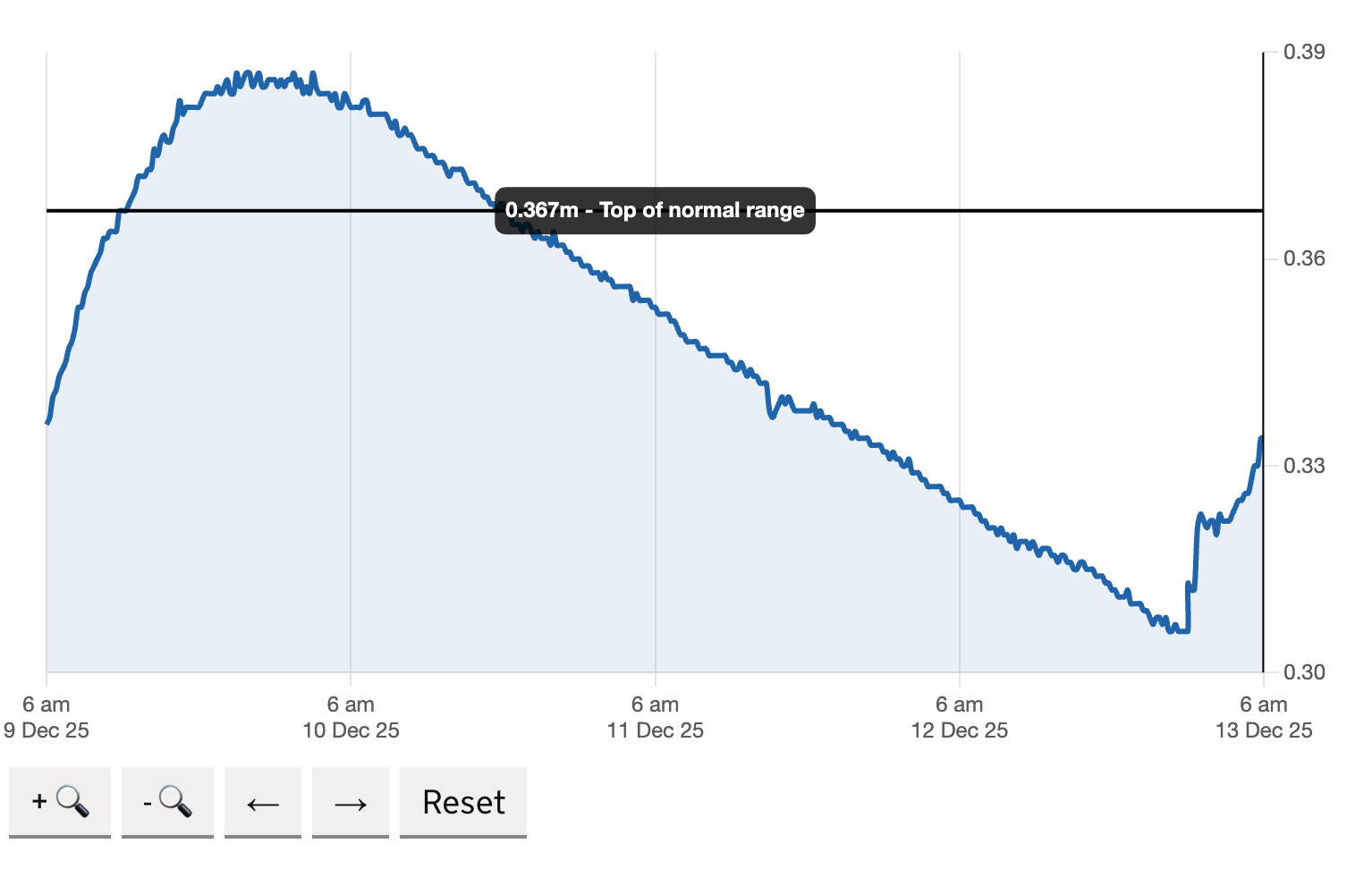
I am currently working with Defra on the check for flooding team. I have been tasked to look at their 5 day river level charts with a view to add more historical data. Thhis meant increasing the amount of data we showed on the chart so users could compare the current river levels with the previous week, month or year.
In order to proceed with some user research i needed to create a prototype of the river level page with an an almost identical graph.
Ask AI to help
I started asking AI which is the best way of recreating such a chart and it gave me a few options. Chart.js was the easies to pick up and implement so i began by installing it and getting it to read data from a seperate CSV file. The instructions on the chart.js website were very basic and i was soon able to get a chart that worked within the gov prototype.
However, it needed a lot of work to get tit looking like it was part of the gov.uk design library. The colours were wrong, the fonts incorrect and the x and y axis were very cluttered. I started to sift through the stylesheet trying to work out how to add the correct styles for each of the government componants.
Then i thought, why not ask AI again. This time i prompted it to make it look like a gov.uk chart and gave it some examples for National Statistics Office, and Defra. The results were astonishing, it cleared up the colours, the fonts, the styling of the lines, the y axis labels and the x axis labels. It just gave computed the stylesheet for me and told me to add it to the bottom of my styles.css file. I did and instantly the chart matched the styles of government design system almost perfectly.
Within 3 works i had a fully working prototype which did the following things and then tested them with user
- read data dynamically from a seperate csv file supplied by the EA
- Allowed zooming into a peak to see more detail with a dynamic x axis
- allowed users to pan forward and backward along the timeline to view river water-level patterns
- show a specific date period using a MOJ date picker tool
- added the top of normal range line to the chart at all times